
This guide helps visitors connect to the CEIBS wireless network on campus.
Applicable for iOS 12/13/14/15/16/17/18/26
- Go to Settings > WLAN, choose CEIBS.
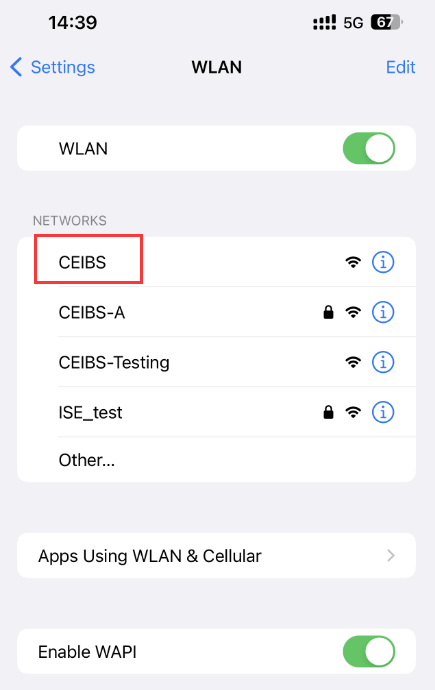
- Authentication
- Vistors
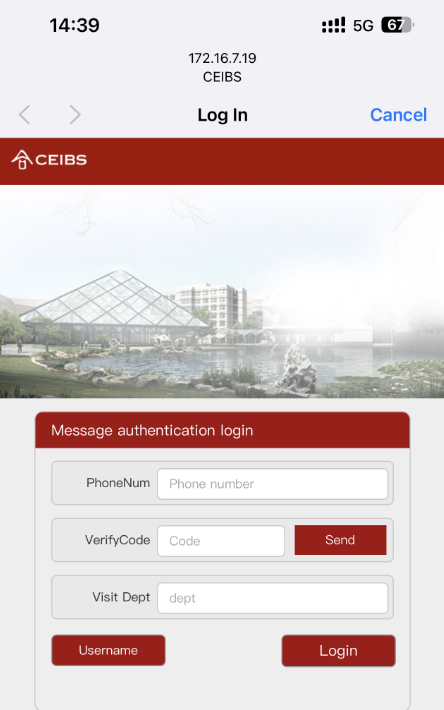
- Enter PhoneNum, Visit Dept on the pop-up Message authentication login page, then tap Send.
- After the Send Success window pops up, tap Confirm,
- You will receive an SMS with the verification code on your mobile phone,
- Enter the VerifyCode on the webpage and tap Login.
- EE Students
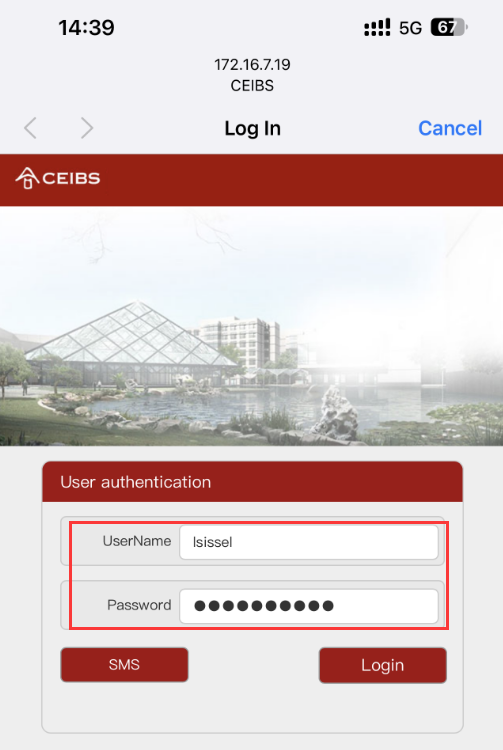
- For some students in EE courses, select Username on the pop-up Message authentication login page,
- Enter your Username and Password on the User authentication login page and tap Login.
- For some students in EE courses, select Username on the pop-up Message authentication login page,
- Vistors
- The page opens normally; then tap Done.

- Setup complete.