
This guide helps all Microsoft Teams users manage their privacy settings.
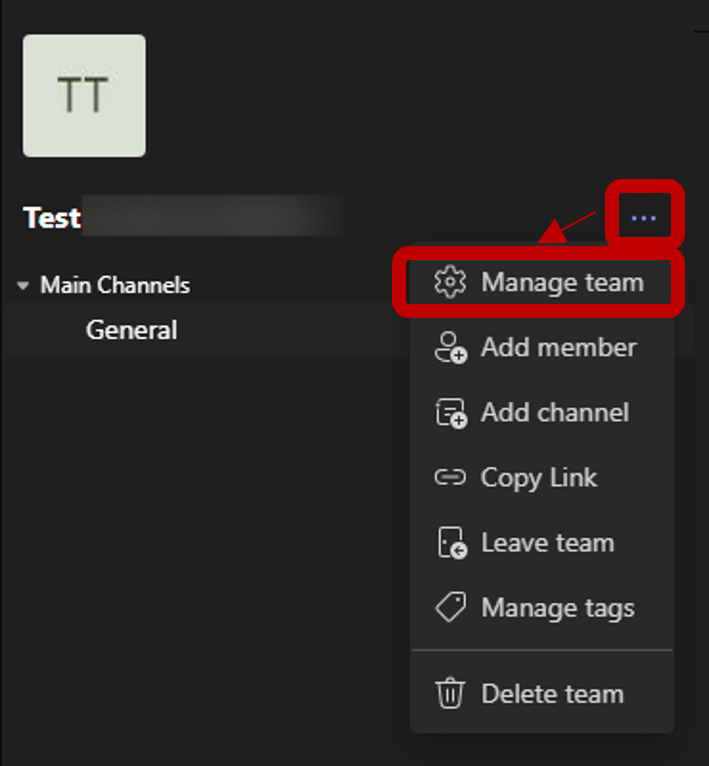
- Go to your team, click the three dots (…), then select Manage team.
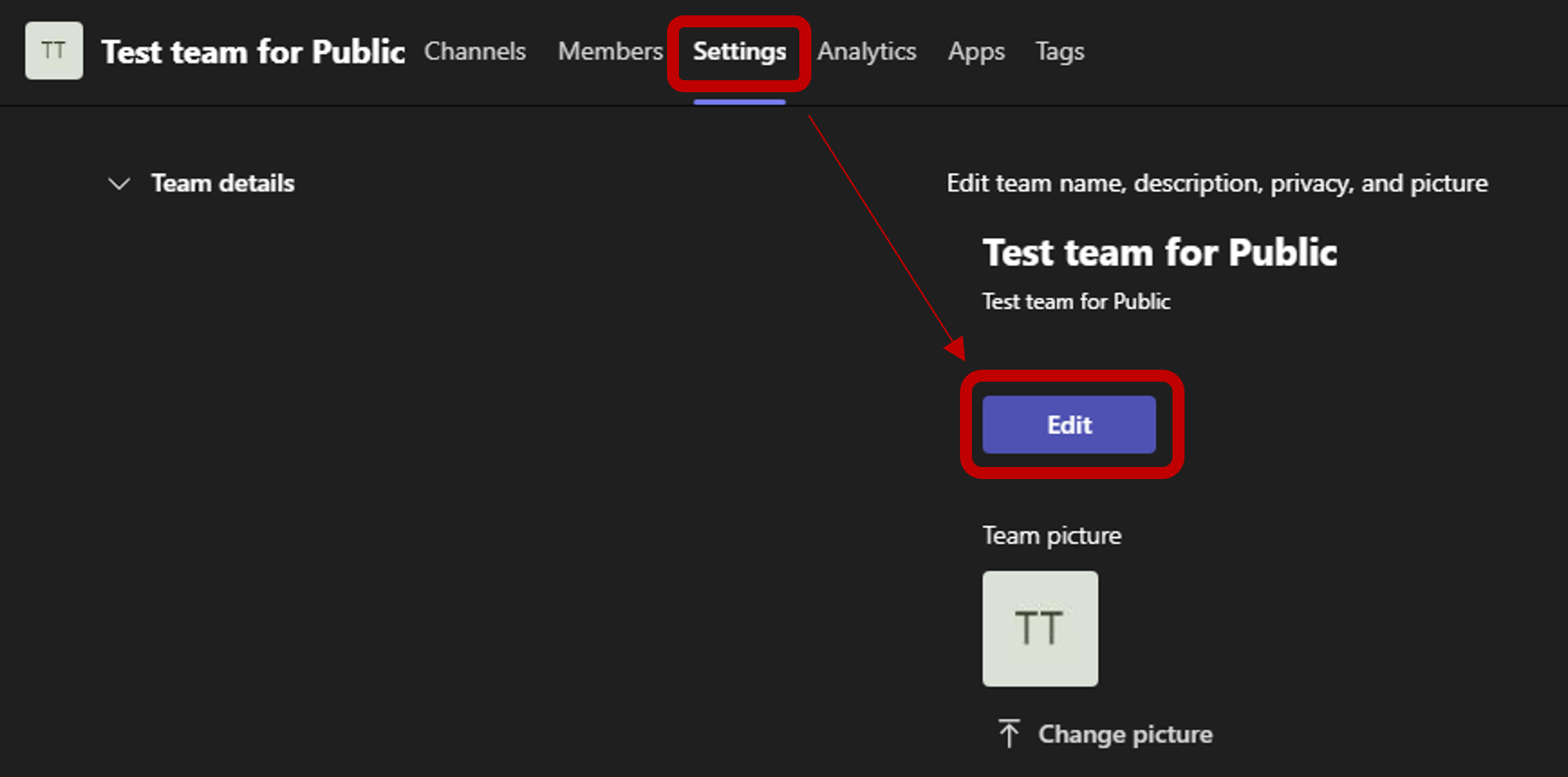
- Go to Settings and click Edit.
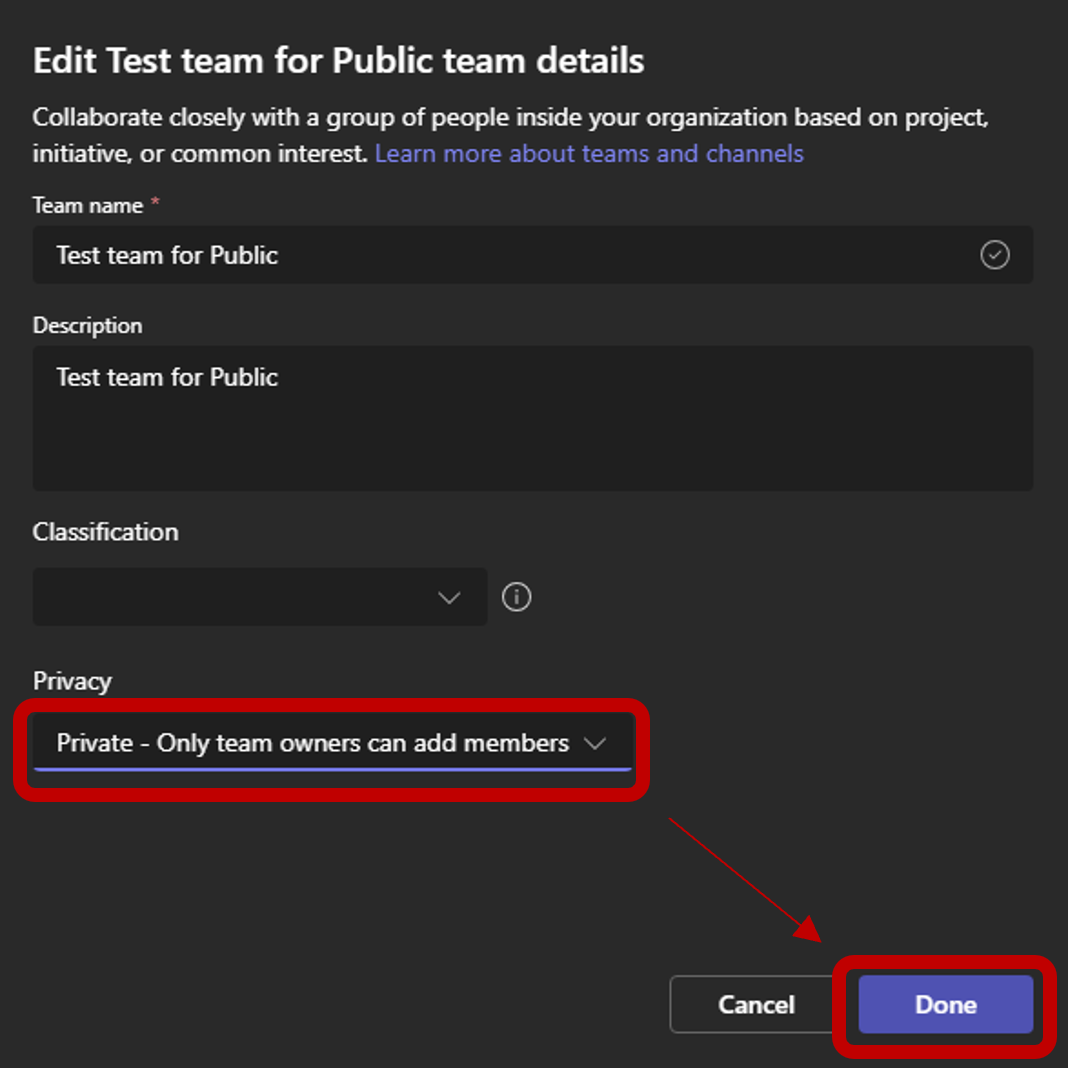
- Change the privacy setting to Private – Only team owners can add members, then select Done.
- Setup complete.